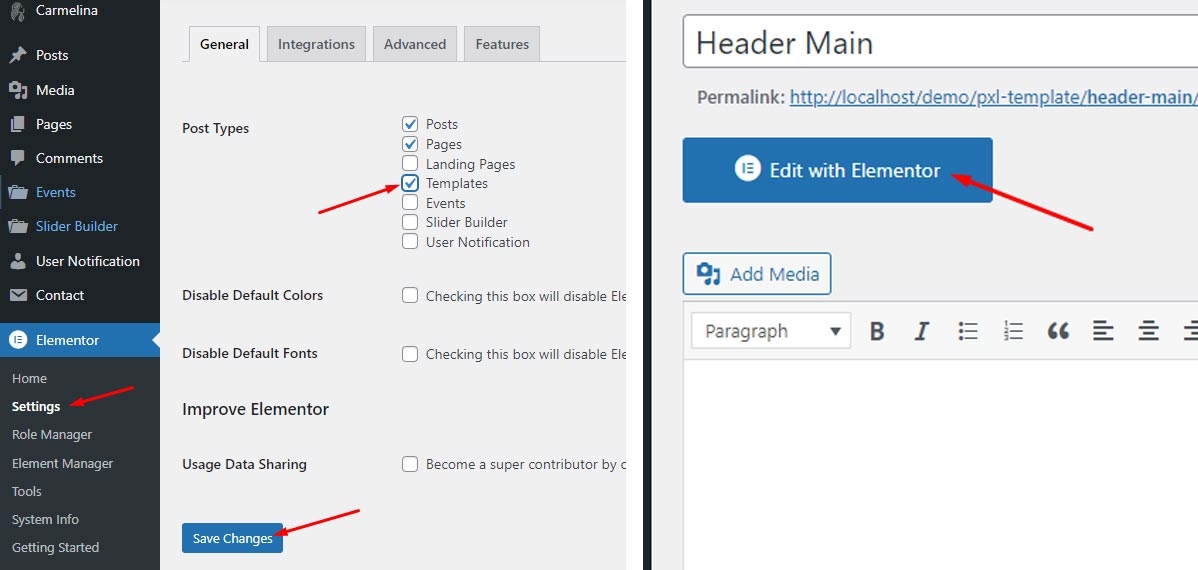
Header Sticky - Builder

Note: Remember checked Elementor support builder for post type "Templates" from Elementors -> Settings -> General

Create Header Layout
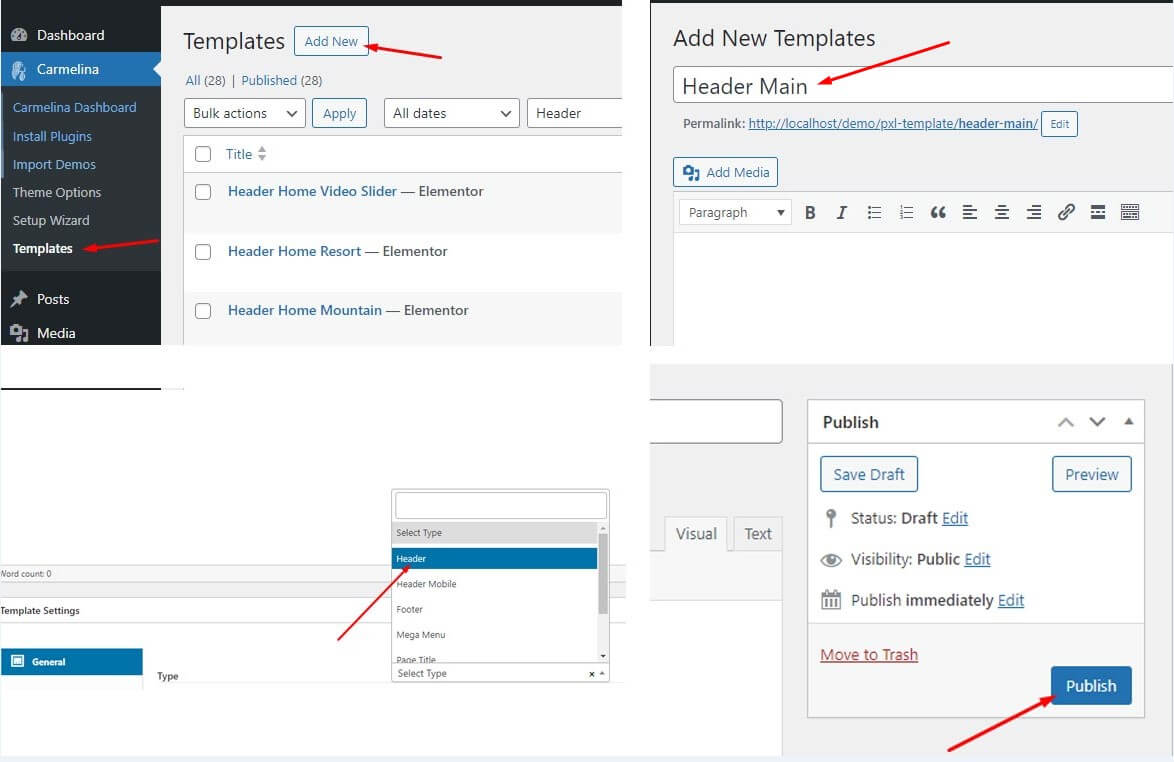
  1. Navigate to Template from the Themename Dashboard -> Template(Theme Builder)

  2. Click Add New button on top

  3. Put a Header template name and you need to choose the type for the template as Header Sticky

  4. Click Publish button for save template

  5. Click Edit with Elementor and start adding the widgets you want to the Header

Change Header Layout

Change the header layout in Theme Options:

  1. Navigate to Theme Options from the Admin Theme Dashboard -> Theme Options -> Header

Change the header layout in Page Options:
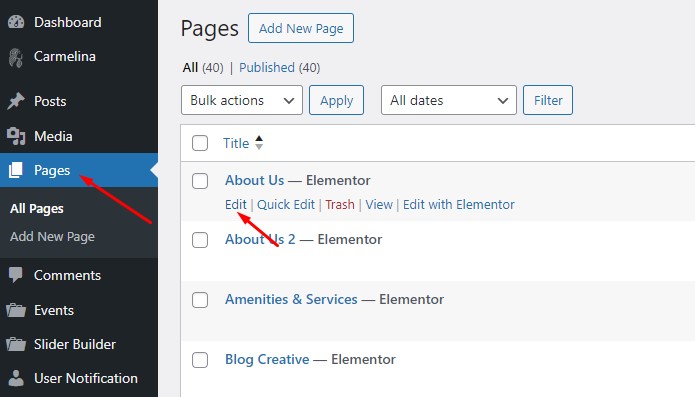
  1. Go to any page edit you want to change the Header layout

Notice: In page options, the options are "empty" or default to "inherit", which will receive the default configuration in Theme options. The options in Page Options apply only to the page you configure.

Last updated