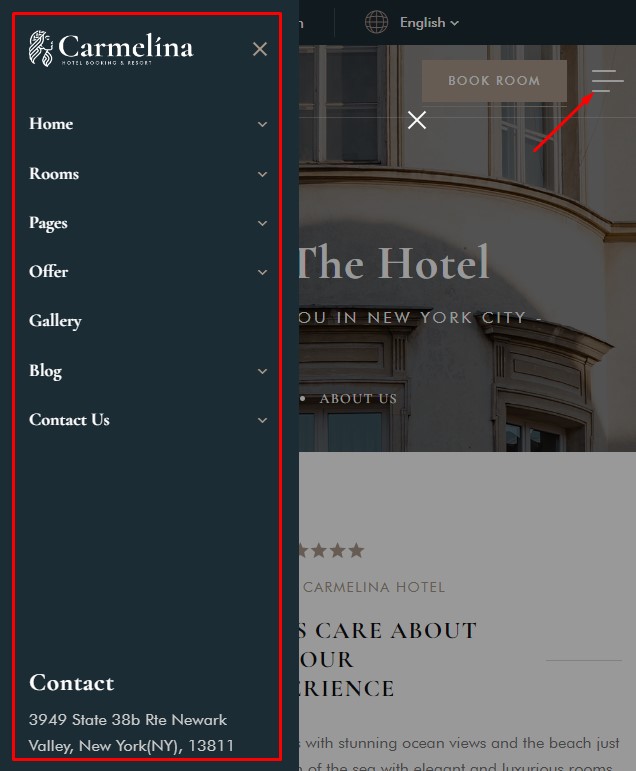
# Hidden Mobile Menu - Builder
### Create Hidden Mobile Menu
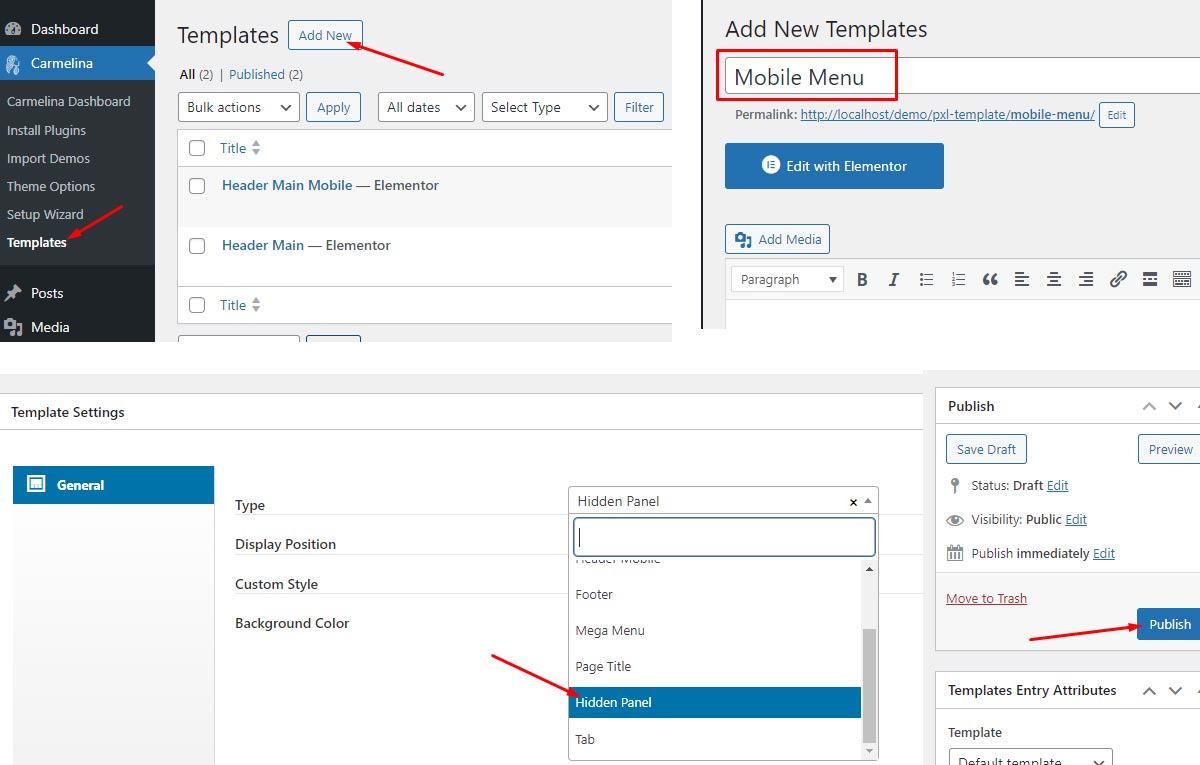
1. Navigate to Template from the `Themename Dashboard -> Template`
2. Click `Add New` button on top
3. Put a Hidden Mobile menu template name and you need to choose the type for the template as **`Hidden Panel`**
4. **Click `Publish` button for save template**
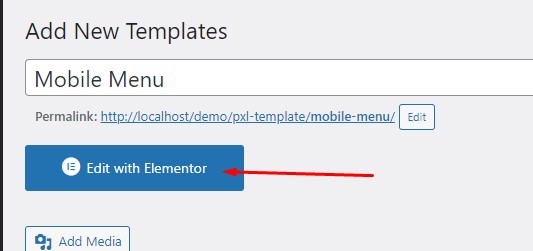
5. Click `Edit with Elementor` and start adding the widgets you want
### Edit Hidden Mobile Menu
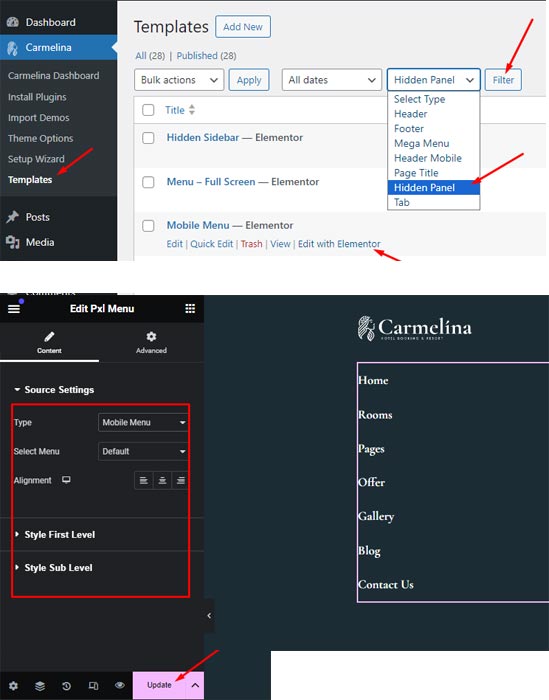
1. Navigate to Template from the `Themename Dashboard -> Template`
2. Select "Hidden Panel" Filter and click "Filter" button
3. Click "`Edit width elementor`" link from Hidden Mobile Menu layout you want changing
4. In Elementor page builder editor, you can change menu, text, ...
5. Click `Update` button for save template
### Assign and Display at frontend
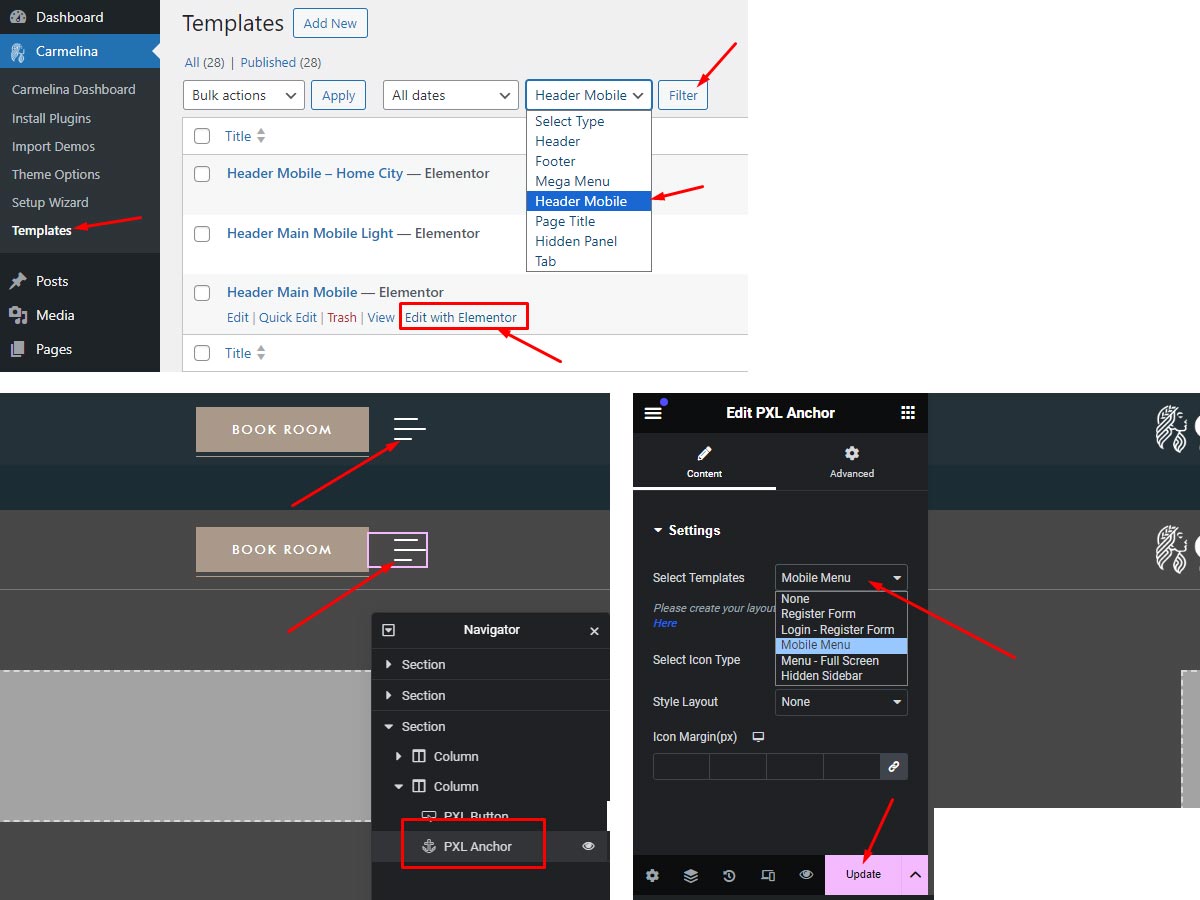
1. Click `Edit with Elementor` on Header Mobile layout
2. In Header Mobile Elementor Editor Builder, choose `PXL Anchor` widget element
3. On the Left Panel let Select Templates is `Mobile Menu` and custom some other option if you want
4. Click `Update` button on the bottom left
5. In Frontend you can see it display when click on `PXL Anchor` widget icon