# Header Layout

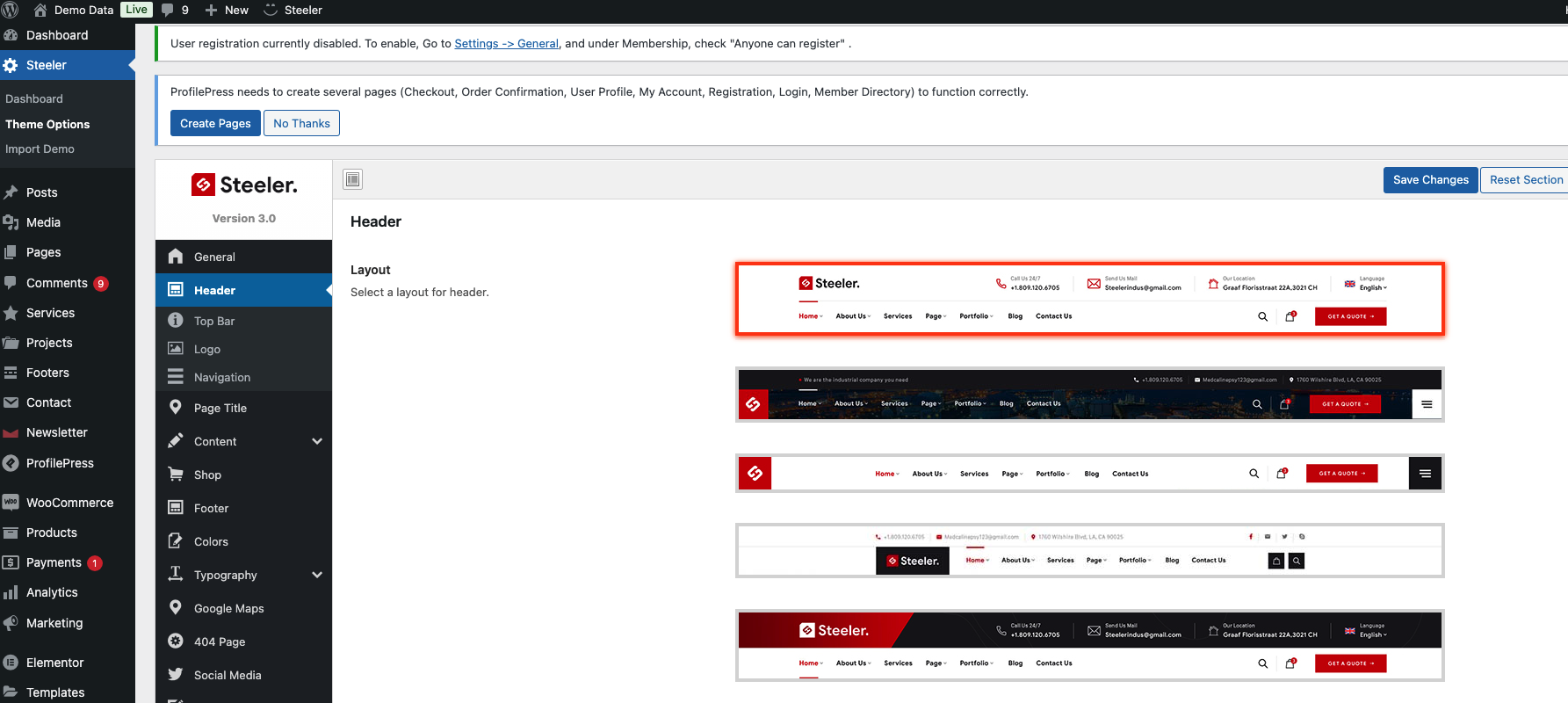
#### Change the header layout in Theme Options:

Go to Admin `Theme Dashboard -> Theme Options -> Header .`

<figure><img src="https://content.gitbook.com/content/UoWNz6z4qKXjwgQKCU29/blobs/N9cIqeZofsNXBNBvtYWC/image.png" alt=""><figcaption></figcaption></figure>

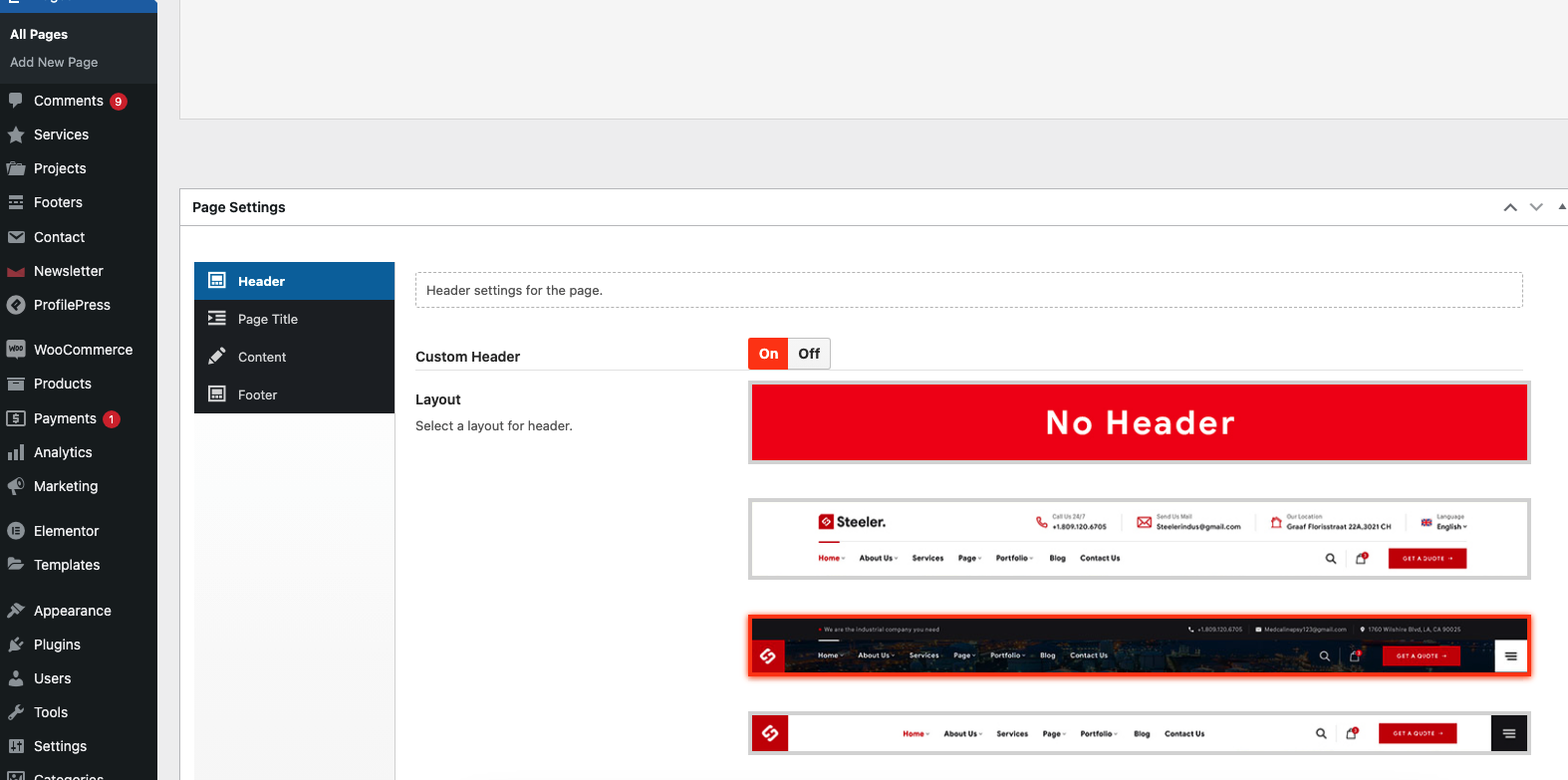
#### Change the header layout in Page Options:

1. Go to any page edit you want to change the Header layout
2. Scroll the page to the bottom. You will see the option for **Header** in **Page Options**
3. **Click `Update` button for save page**
<div align="left"><figure><img src="https://content.gitbook.com/content/UoWNz6z4qKXjwgQKCU29/blobs/bYtkt1vQZMJgfWwuZi6T/docs-img23.jpg" alt=""><figcaption></figcaption></figure></div>

<figure><img src="https://content.gitbook.com/content/UoWNz6z4qKXjwgQKCU29/blobs/UZ4CHZnVIfxMWxtUibx9/image.png" alt=""><figcaption></figcaption></figure>