> For the complete documentation index, see [llms.txt](https://7iquid.gitbook.io/donalfarm-wordpress-theme/llms.txt). Markdown versions of documentation pages are available by appending `.md` to page URLs; this page is available as [Markdown](https://7iquid.gitbook.io/donalfarm-wordpress-theme/basic-site-setup/footer-builder.md).
# Footer - Builder
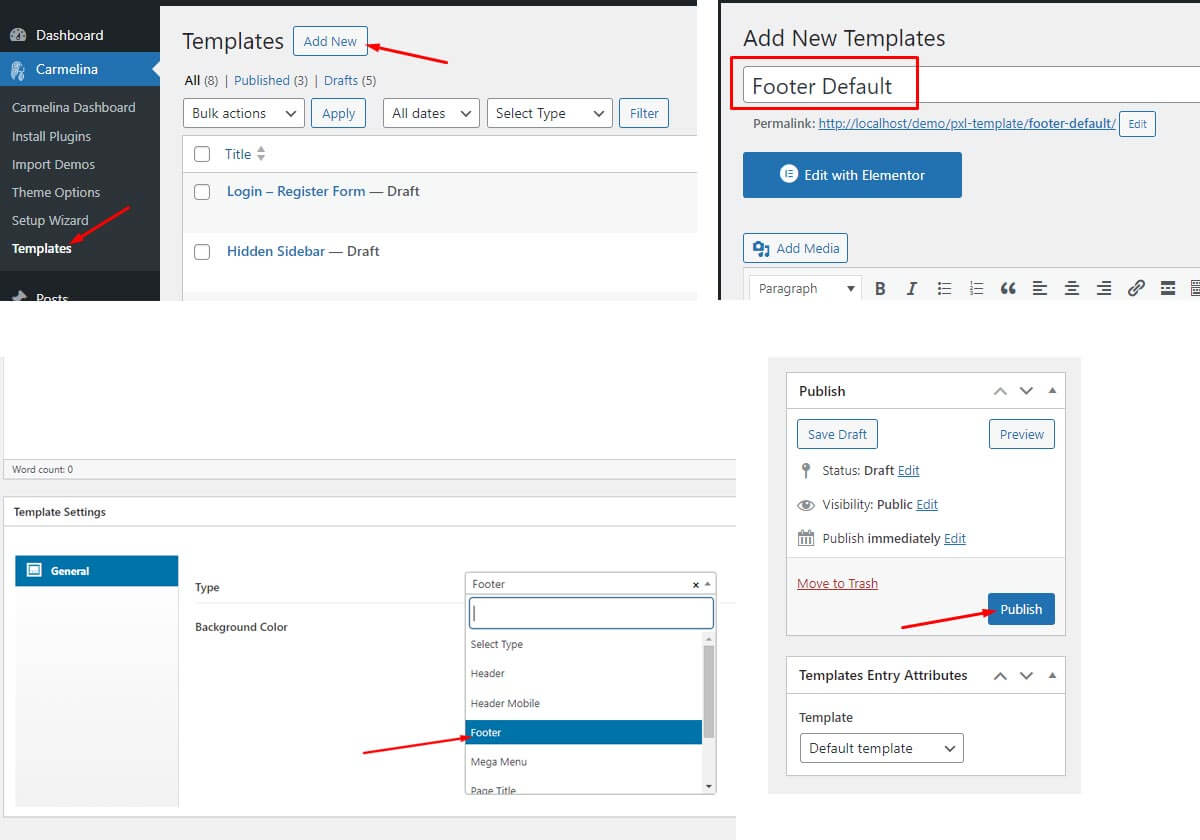
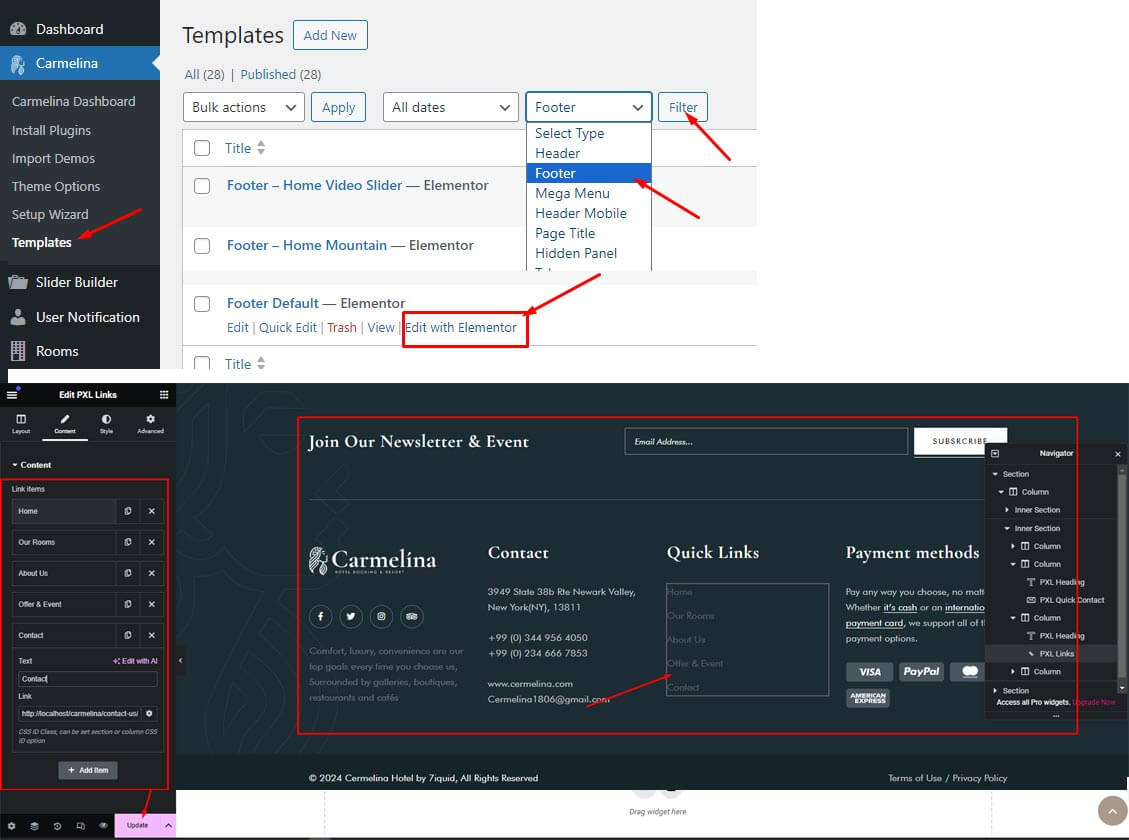
Same these Template Builder above, you can follow screenshot below for create, edit and configuration
### Create Footer Layout Template
### Edit Footer Layout Template
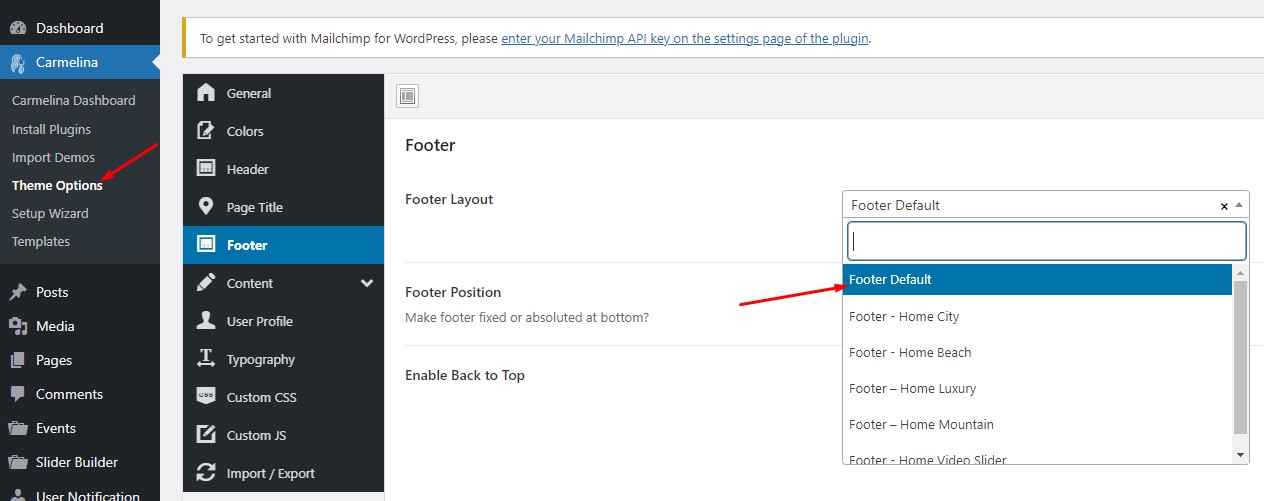
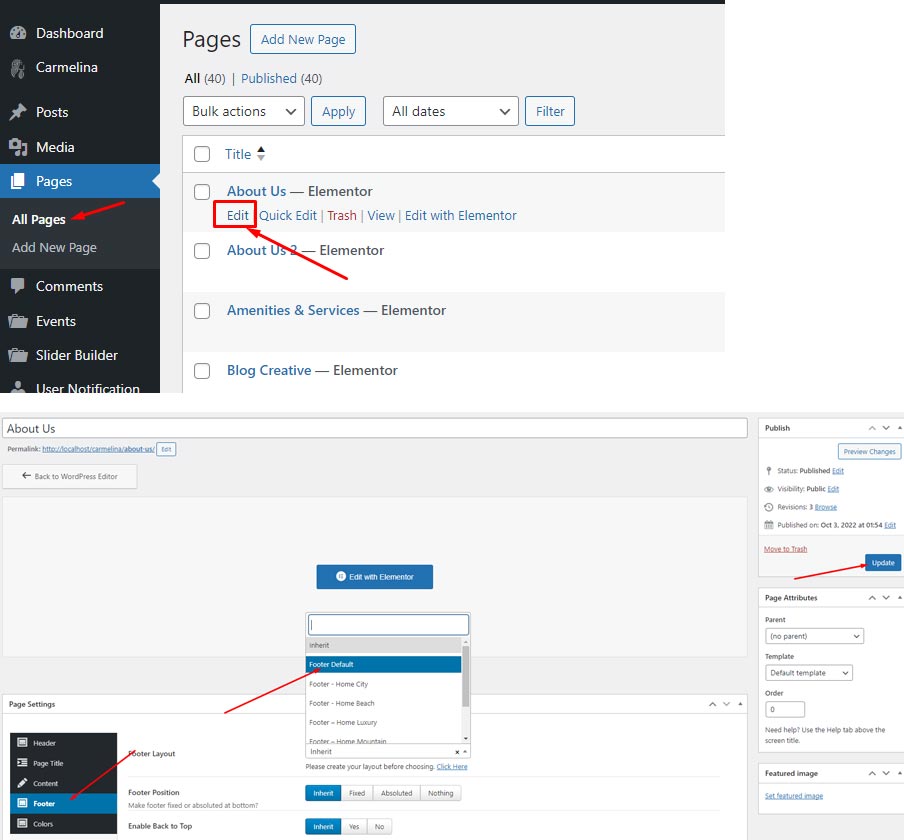
### Display in Frontend
1. Select a layout for footer from Theme Option, this option will be apply for all page and post of site
2. Change the layout in Page Options, let go to any page you want to change the Footer layout. Edit that page and then scroll to the bottom. You will see the option for **Footer layout** in **Page Options**
*Notice**:** The options are "empty" or default to "inherit", which will receive the default configuration in Theme options. The options in Page Options apply only to the page you configure.*