> For the complete documentation index, see [llms.txt](https://7iquid.gitbook.io/carmelina-wordpress-theme/llms.txt). Markdown versions of documentation pages are available by appending `.md` to page URLs; this page is available as [Markdown](https://7iquid.gitbook.io/carmelina-wordpress-theme/booking-management/settings-and-payment-gateways.md).
# Settings & payment gateways
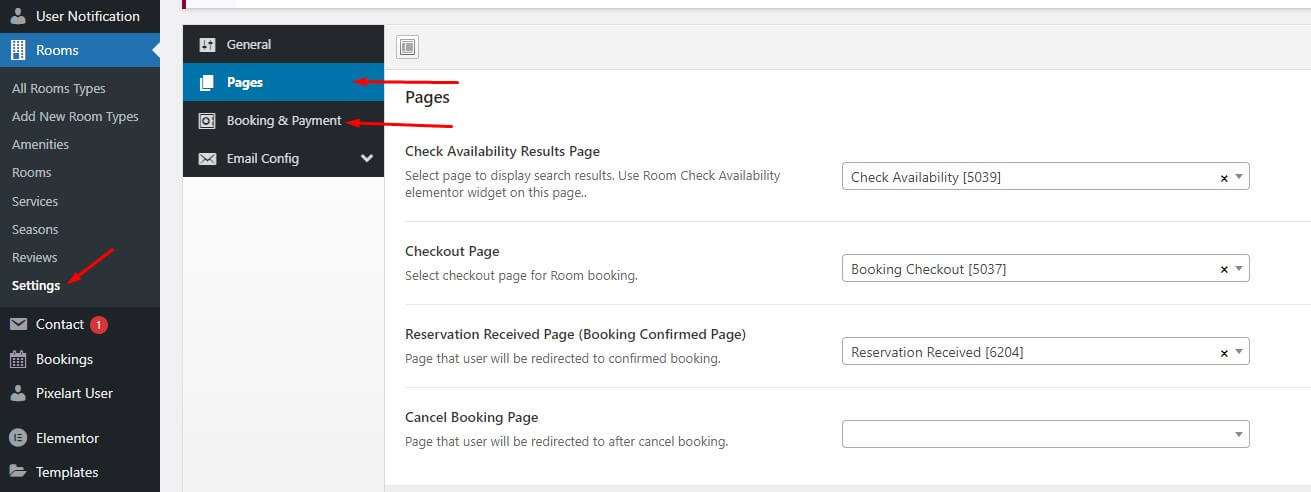
**Let view all options for checkout booking as image below**:
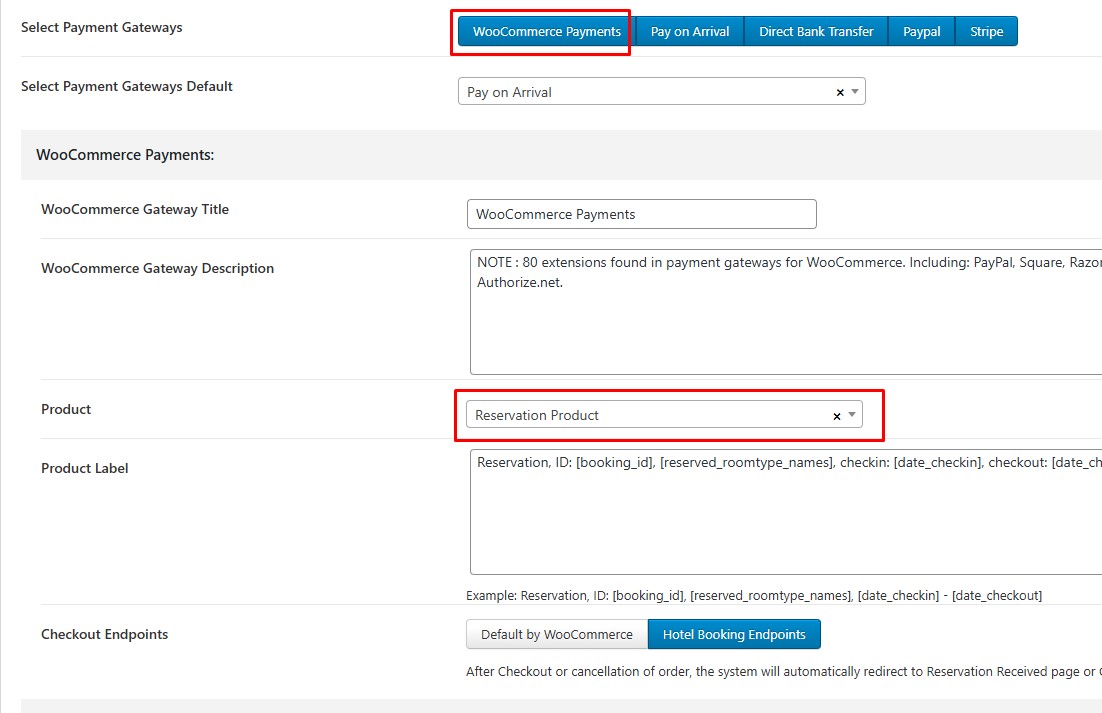
**With WooCommerce Payments:**
* you must create a product and assign a price to it.
* The currencies are the same room currency setting.
* It is required to have both page cart and checkout available for the reservation to proceed..
* in WooCommerce Payments setting you must select the product you created to assign to the booking
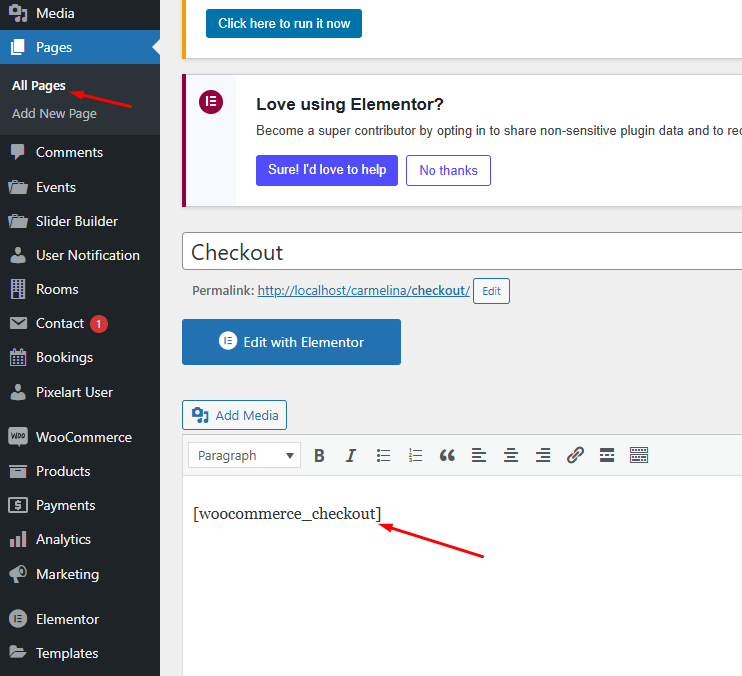
Woo checkout page: add shortcode \[woocommerce\_checkout]