> For the complete documentation index, see [llms.txt](https://7iquid.gitbook.io/amoor-creative-agency-and-portfolio-theme/llms.txt). Markdown versions of documentation pages are available by appending `.md` to page URLs; this page is available as [Markdown](https://7iquid.gitbook.io/amoor-creative-agency-and-portfolio-theme/basic-installation/install-demo-data.md).
# Install Demo Data
There are two ways you can use to install Demo data
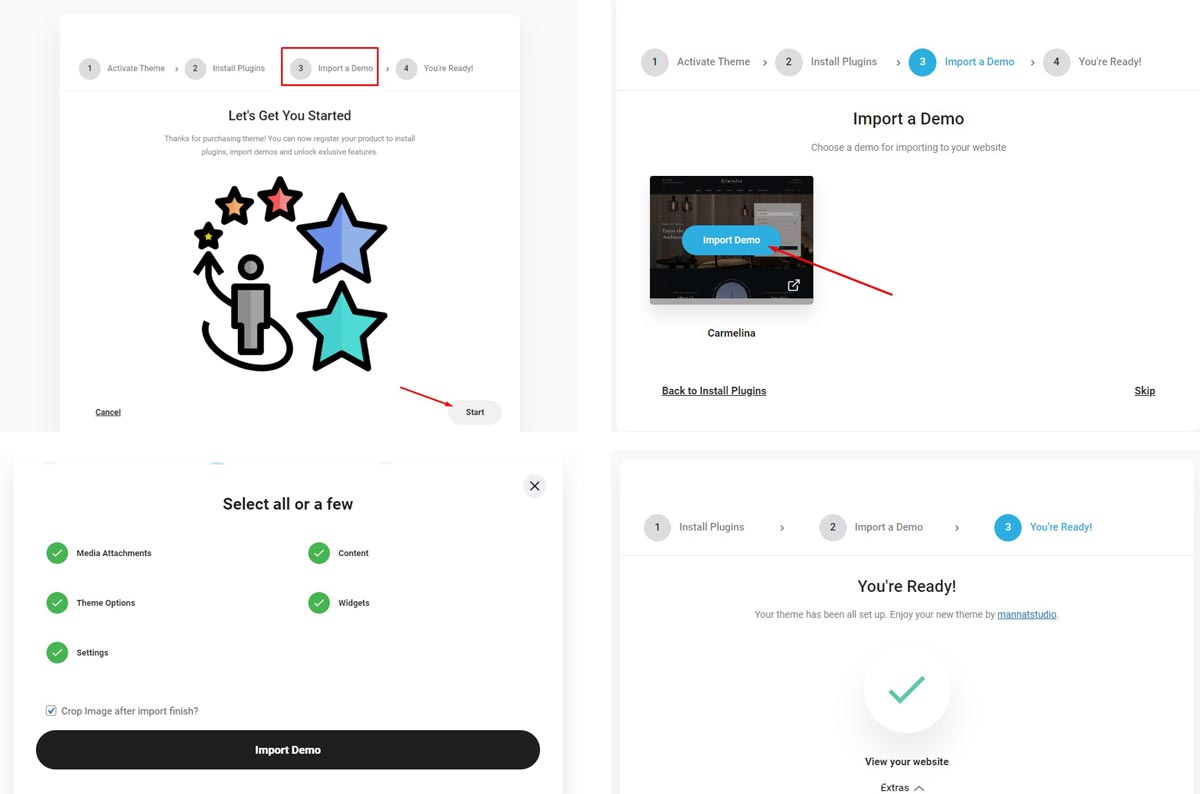
### Install via Wizard
After active theme you will see a prompt to install with the steps in the popup wizard. You can easily install demo content with one click
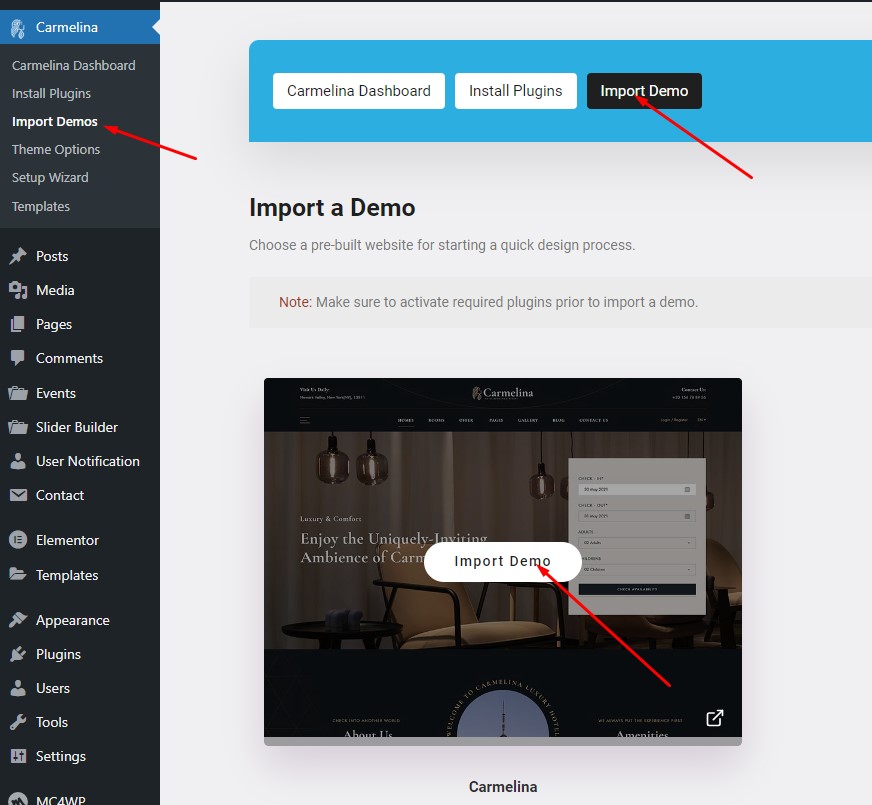
### Install via Dashboard
When you don't install the Demo data through the wizard, you can install it easily through the theme's control panel.
*Notice: Make sure to activate required plugins prior to import a demo.*